Switching from Huckleberry

Bring your baby’s history.
Give everyone their own login.

Moving from Huckleberry? Send us your Huckleberry export and we’ll import it for you — sleeps, feeds, diapers and more, right where you left off. Then invite your partner, and each of you logs from your own free account.

Free import. Free logging and sharing. No card required.

Three steps. We do the hard one.

  1. 1

    Export from Huckleberry

    In Huckleberry, open your child’s profile and export the tracking data as a CSV file. Save it somewhere you can attach it to an email.

  2. 2

    Add your baby to LunaLog

    Sign up and add your baby — name and birth date. Start logging today; nothing waits on the import.

  3. 3

    Email us the file

    Send it to hello@lunalog.io from the email you signed up with. We import it and let you know when it’s done.

Email us your Huckleberry export

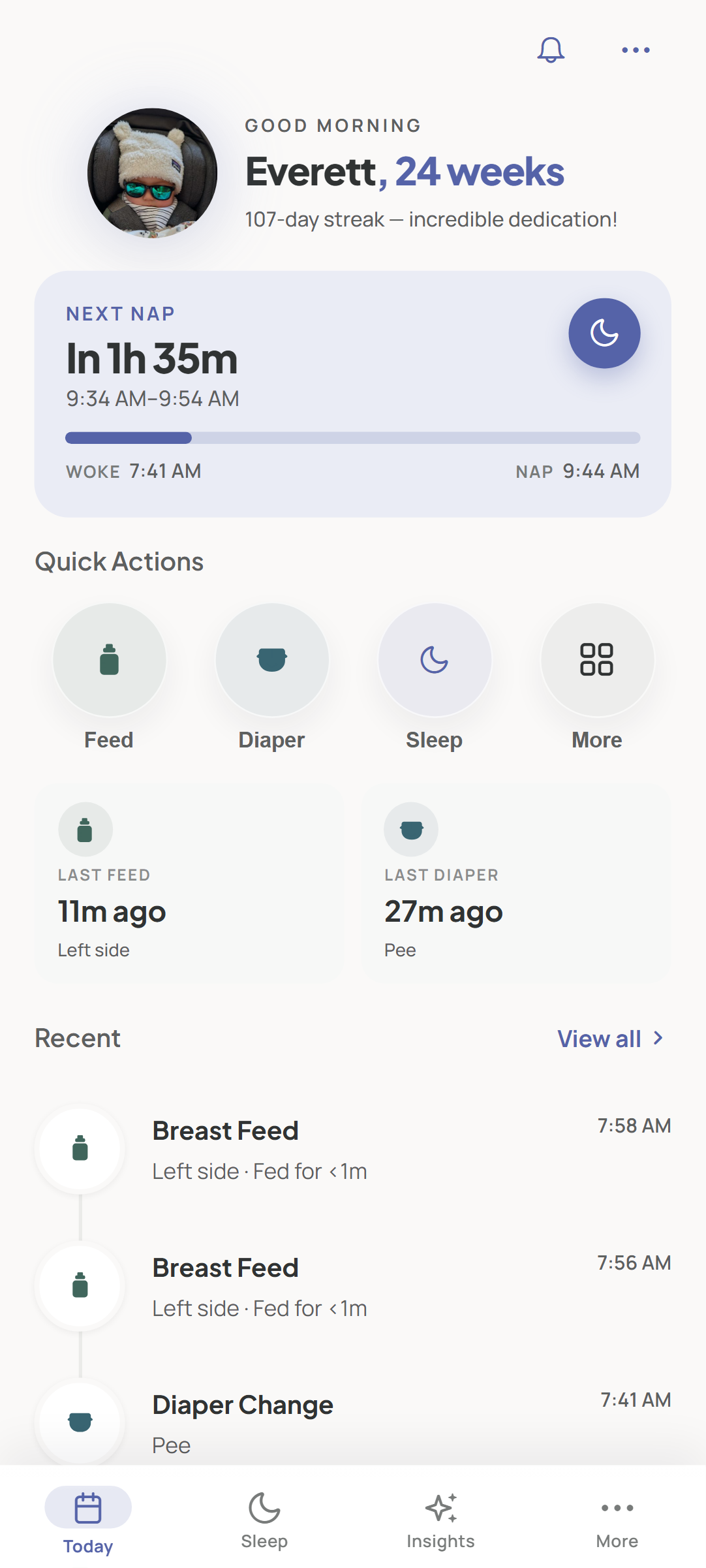
The LunaLog Today page with the day's feeds, naps, and diapers on one shared timeline

Everything you logged in Huckleberry, shared free

Feeds, nursing, bottles, pumping, naps, overnights, diapers, growth, medication and temperature — on one timeline the whole family shares in real time. No ads, no daily log limit, no paywall on the basics.

  • ✓Unlimited caregivers, free — invite by link or QR code
  • ✓iPhone, Android and any browser, all in sync
  • ✓Timers that keep running across phones — start a nap, your partner sees it
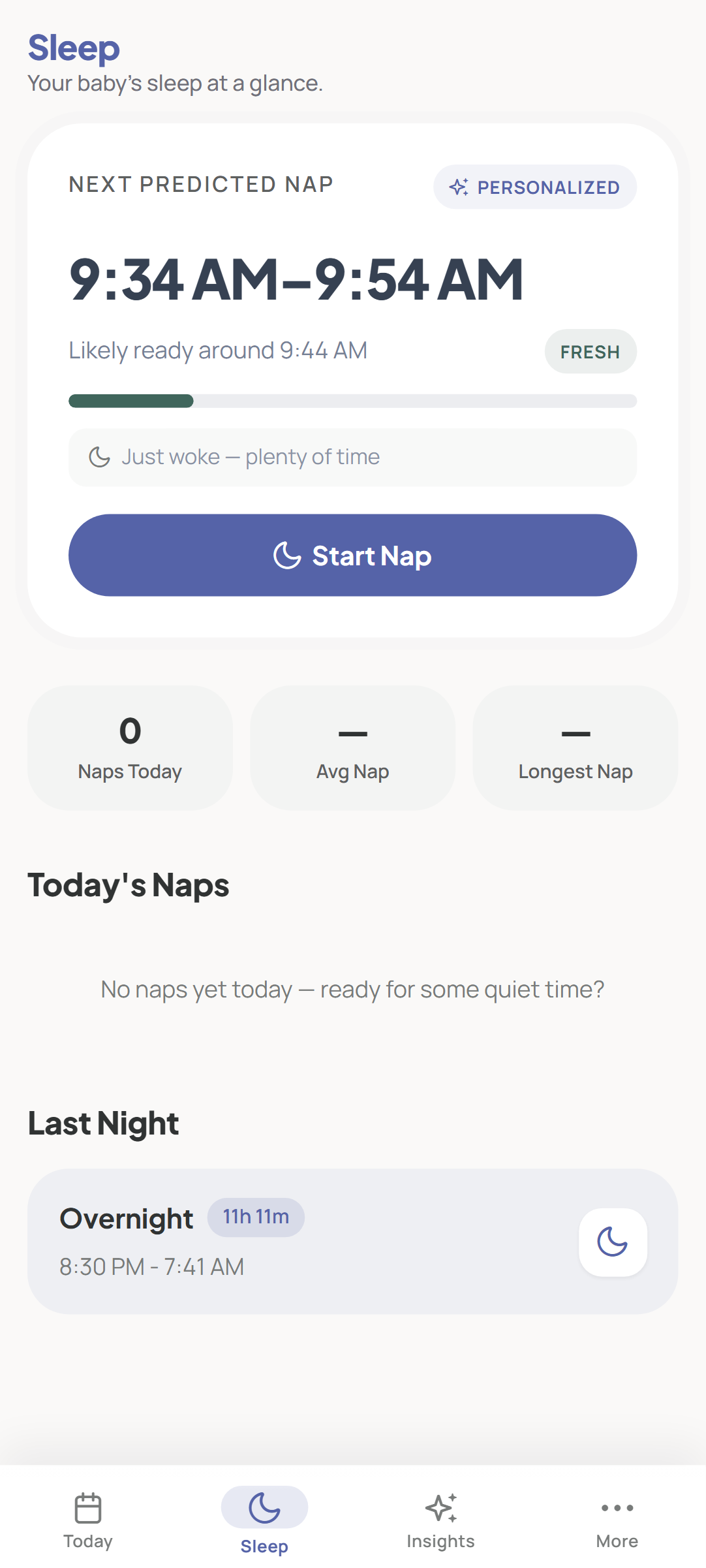
The LunaLog Sleep page showing the predicted next nap window

Then it starts working for you

Your imported history isn’t just an archive. LunaLog learns your baby’s rhythm from it and predicts the next nap window and bedtime — so predictions start from your baby’s real patterns instead of a week of calibrating.

  • ✓Next-nap prediction and bedtime suggestion
  • ✓A weekly report on sleep and feeding trends
  • ✓Premium free for your first 14 days; one plan covers the household

Switching questions

How do I get my data out of Huckleberry?

Huckleberry can export each child’s log as a CSV file — see Huckleberry’s help article. In the app, open your child’s profile and choose the option to export tracking data as CSV. Each child has their own file.

What carries over?

Sleeps (naps and overnights, sorted automatically, with night wakings), bottle feeds with amounts and milk type, nursing sessions with time on each side, pumping, diapers, growth measurements, medication, temperature, and activities like baths and tummy time — with the original times, in your time zone. If your export includes anything else, such as solids, we’ll tell you exactly what carries over before we import anything.

How long does the import take?

Usually within one business day. We import into the baby you’ve already created in LunaLog and email you when it’s done — you can keep logging in LunaLog while you wait.

Is LunaLog free?

Logging feeds, naps and diapers — and sharing them with every caregiver in real time — is free, with no ads and no daily cap. Premium adds nap prediction, Today’s Plan and the weekly report; you get it free for your first 14 days, then it’s $9.99/month or $79.99/year with a 7-day free trial. One subscription covers everyone who shares the baby.

Will my partner and caregivers come too?

Yes. Each caregiver joins with their own account from an invite link or QR code and is on the same live timeline in seconds — on iPhone, Android, or a browser, no install required. Sharing is free.

What happens to my file?

We use it only to import your history, then delete it. We never share or sell your data.

Huckleberry is a trademark of its owner. LunaLog is not affiliated with Huckleberry. Export steps as described in Huckleberry’s help center, November 2026.

Your history comes with you.
Logging stays free.

Start free, invite your partner in ten seconds, and send us your Huckleberry export when you’re ready.

Also on the web at app.lunalog.io · No credit card required